Numbers (main keyboard and numpad): Use the number keys on the main keyboard and number pad to insert a number in to the currently selected cell. If pencil mode is activated, a pencil mark will be inserted in to the current cell instead.
Arrow keys: Move the currently selected cell up/down/left/right.
Ctrl/Shift/Alt with number: Use the Ctrl/Shift/Alt keys with a number key to insert a pencil mark in to the currently selected cell. If pencil mode is activated, using Ctrl/Shift/Alt keys with a number key will insert that value in to the current cell (not a pencil mark).
Delete/Backspace: If there is a value inserted in the currently selected cell, the value will be removed. If there is pencil marks inserted in the currently selected cell, the pencil marks will be removed.
- and =: These keys (and most of the other symbol keys on a keyboard) will activate/deactivate pencil mode.
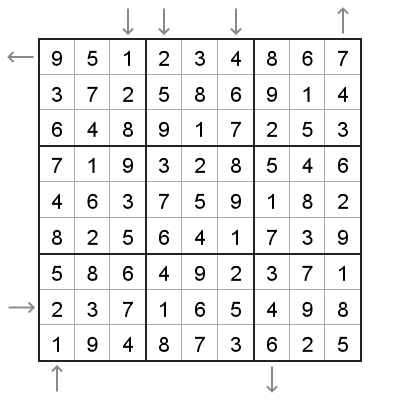
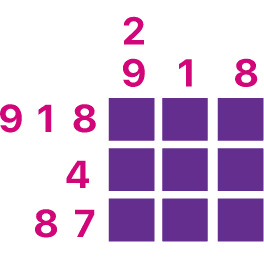
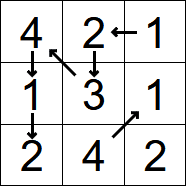
This is an example of a completed Rossini Sudoku puzzle.
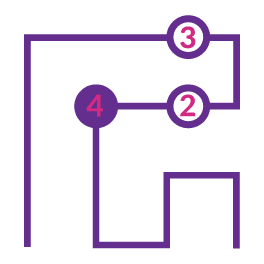
The standard rules of Sudoku apply, but there are also arrows around the outside of the grid.
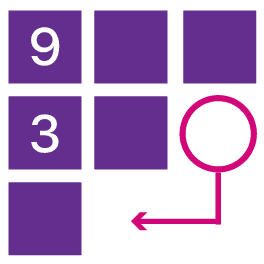
The arrows tell you that the first 3 digits of that row/column are ascending or descending.
If the arrow points towards the grid, the first cell will contain the lowest value, and the values will increase from there.
If the arrow points away from the grid, the first cell will contain the highest value, and the values will decrease from there.
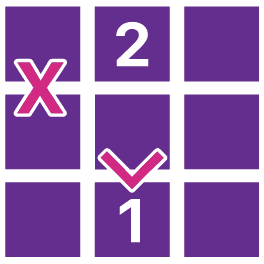
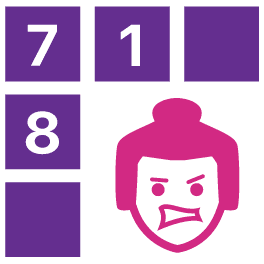
Rossini clues are exhaustive in our Rossini Sudoku puzzles, i.e. if there is no arrow, the numbers are not increasing or decreasing (it would be an error if the numbers
were increasing or decreasing).
 Download image

 Rossini Sudoku leaderboard
 How to play